
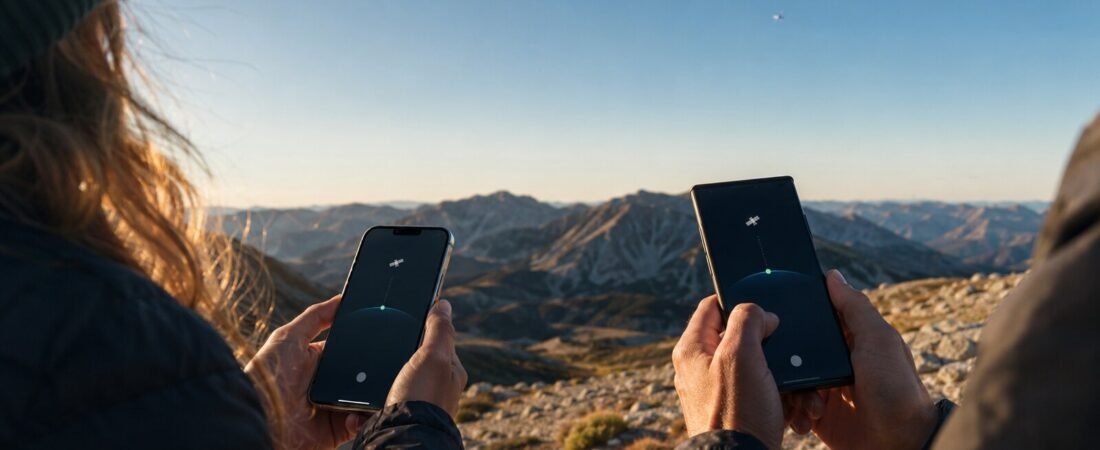
If your phone was released within the last few years, there is a good chance it can connect to Starlink. But “recent phone” is not the whole answer. Your exact model, carrier, software version, country, and even the features you want to use all matter.
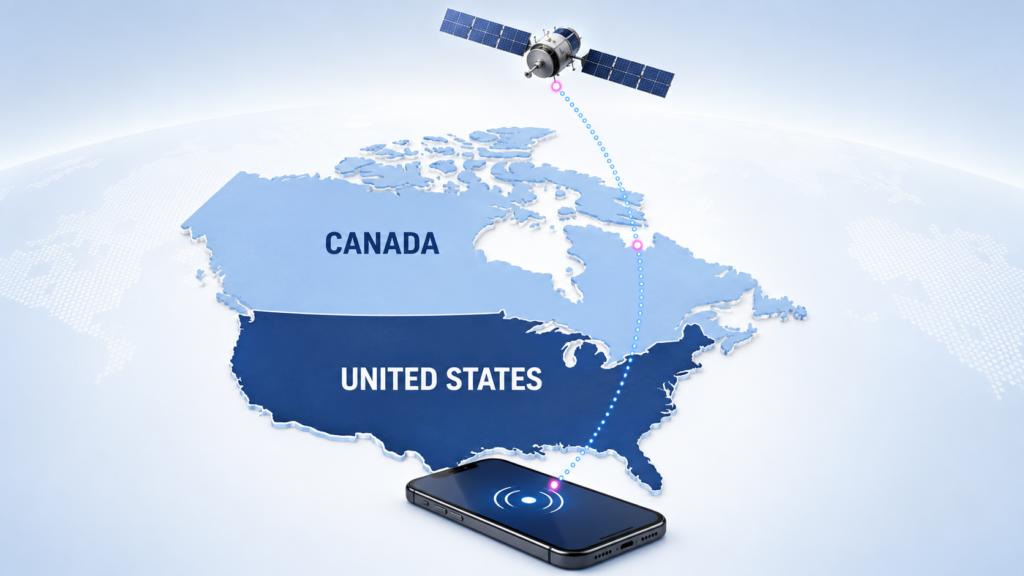
In the United States, Starlink reaches regular phones through T-Mobile’s T-Satellite service. In Canada, Rogers Satellite provides similar direct-to-cell coverage. You do not need a Starlink dish or a special satellite phone. When normal cellular coverage disappears, an eligible phone can connect directly to a satellite overhead.
By the end of this guide, you will know which iPhones and Android phones are commonly supported, how to check your exact model, what the service costs, and what you can realistically do with a Starlink connection.
The quick answer
The quick answer
Apple lists every iPhone 13 generation and newer as capable of using carrier-provided satellite features with a supported carrier and the latest version of iOS. That includes the iPhone 13 family, iPhone 14 family, iPhone 15 family, iPhone 16 family, iPhone 17 family, and iPhone Air.
On Android, support covers many recent Samsung Galaxy, Google Pixel, Motorola, and T-Mobile REVVL phones. Galaxy S21 and newer generations are a good starting point, along with recent Galaxy Z Flip and Z Fold models, the Pixel 9 and Pixel 10 families, and selected Motorola Razr, Edge, and Moto G phones.
The catch is that compatibility is not one simple yes-or-no list. One phone may support texting but not satellite data. Another may support messaging, maps, weather, and WhatsApp. T-Mobile and Rogers can also add phones through software updates, so their model or IMEI checkers are more reliable than any static list.
On this page
- What “Starlink on your phone” actually means
- Starlink-compatible phones at a glance
- Which iPhones work with Starlink
- Which Android phones work with Starlink
- How to check your exact phone
- T-Satellite in the United States
- Rogers Satellite in Canada
- Apple satellite features vs Starlink
- What you can do with Starlink on your phone
- The limitations nobody should skip
- Key takeaways
- Frequently asked questions
- The bottom line#The-bottom-line-1
What “Starlink on your phone” actually means
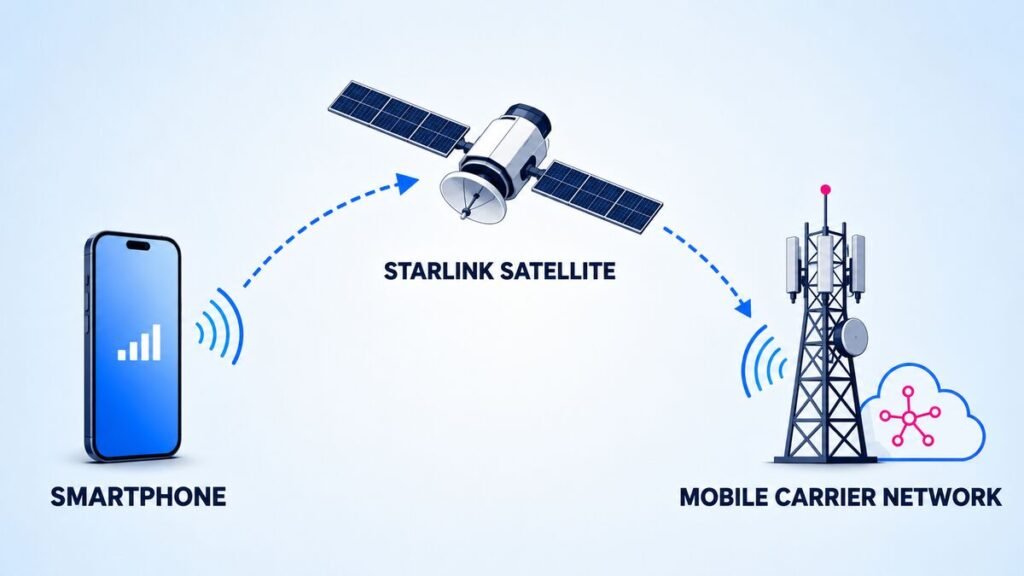
This is not the same product as Starlink Residential or Starlink Roam. Those services use a dish to provide Wi-Fi to your home, RV, or campsite. Starlink Direct to Cell communicates directly with the LTE hardware already inside a compatible phone.
Starlink describes the system as putting “cell towers in space.” When your phone cannot find a regular cellular or roaming network, it searches for the carrier’s satellite network instead. No dish, external antenna, or manual satellite pointing is required.
On T-Mobile, the network name may appear as T-Mobile SpaceX or T-Sat+Starlink. On Rogers, it appears as ROGERS SATELLITE. The connection normally happens automatically once terrestrial coverage is gone.
You can read the technical overview on the official Starlink Direct to Cell page.
Starlink-compatible phones at a glance
The table below is the useful starting point, not a substitute for checking your exact model.
| Plan | Compatibility starting point | Important catch |
|---|---|---|
| Apple iPhone | iPhone 13 and newer | iPhone 13 can use carrier-provided satellite service, but Apple’s built-in satellite features require iPhone 14 or newer |
| Samsung Galaxy S | Galaxy S21 and newer generations | Texting and app support can differ by model |
| Samsung Galaxy Z | Recent Z Flip and Z Fold generations, starting around Flip3 and Fold3 | Older models may support messaging but not satellite-ready apps |
| Samsung Galaxy A | Selected recent A-series models | Compatibility varies much more than on Galaxy S phones |
| Google Pixel | Pixel 9 and Pixel 10 families | Native Pixel satellite features and T-Satellite are not always the same service |
| Motorola | Selected Razr, Edge, Moto G, and Moto G Power models | Check the exact year and model number |
| T-Mobile REVVL | Selected REVVL 7 and REVVL 8 models | Feature support depends on software and model |
| Other Android phones | Support continues to expand | Having LTE or 5G does not automatically guarantee carrier approval |
Important: A phone can contain the necessary LTE hardware and still need carrier certification, current software, an eligible plan, or an available eSIM. Always check the exact model before paying for service.
Which iPhones work with Starlink?
According to Apple’s carrier-provided satellite guidance, the following iPhones can use satellite features offered by a supported carrier:
- iPhone 13, 13 mini, 13 Pro, and 13 Pro Max
- iPhone 14, 14 Plus, 14 Pro, and 14 Pro Max
- iPhone 15, 15 Plus, 15 Pro, and 15 Pro Max
- iPhone 16 family
- iPhone 17 family
- iPhone Air
You also need the latest available version of iOS, a supported carrier, and an eligible plan when the carrier requires one.
The iPhone 13 is the model that causes the most confusion. It can work with Starlink-powered carrier service, including T-Satellite, but it does not have Apple’s built-in Emergency SOS and Messages via satellite system. Those Apple features begin with the iPhone 14.
If you have an iPhone 13 or newer and T-Mobile or Rogers says it is eligible, you should not need to buy a special phone. Update iOS first, then confirm your model through the carrier.
Which Android phones work with Starlink?
Android compatibility is broader, but also messier. Samsung, Google, Motorola, and T-Mobile have multiple supported models, and not every phone receives the same features.
Samsung Galaxy phones
The Galaxy S21 generation and newer Galaxy S models are the safest starting point. T-Satellite support has also reached multiple Galaxy Z Flip, Galaxy Z Fold, Galaxy A, and Galaxy XCover devices.
Commonly supported families include:
- Galaxy S21 and newer Galaxy S generations
- Galaxy Z Flip3 and newer models
- Galaxy Z Fold3 and newer models
- Selected Galaxy A14, A15, A16, A35, A36, A53, A54 and newer A-series phones
- Selected Galaxy XCover models
Some older supported Galaxy phones have limitations around eSIM use or satellite data. A device may be eligible for texting while newer Galaxy models receive access to more satellite-ready apps.
Google Pixel phones
The Pixel 9 and Pixel 10 families are the main Pixel generations associated with T-Satellite support. This includes several standard, Pro, Fold, and lower-cost Pixel variants, but the precise feature set depends on the model and software.
Some Pixel phones also have their own Satellite SOS features through a different satellite provider. Seeing a satellite option inside Android settings therefore does not automatically mean the phone is using Starlink.
Motorola phones
T-Satellite supports selected Motorola phones from the Razr, Edge, Moto G, Moto G Power, and Moto G Stylus families. Most of the commonly listed models come from the 2024 generation or later, although a small number of earlier models may qualify.
With Motorola, the model year matters. “Moto G” by itself is not enough information, so check the full name under Settings > About phone.
T-Mobile REVVL and other Android phones
Selected REVVL 7 and REVVL 8 devices are supported. Other Android manufacturers may be added as T-Mobile, Rogers, Starlink, and phone manufacturers complete testing and release software updates.
That is why an article listing dozens of model names will eventually become outdated. The carrier checker is the final answer.
How to check your exact phone
Do this before subscribing or buying another phone.
- Update your phone. Install the latest version of iOS or Android available for your model.
- Find the exact model name. On iPhone, open Settings > General > About. On Android, open Settings > About phone.
- Find your IMEI. Dial
*#06#from the Phone app. You can also find the IMEI in the About section of your settings. - Check T-Mobile eligibility in the United States. Open the T-Life app, select Account, choose your line, scroll to Status, and tap T-Satellite. T-Mobile will show whether the phone is enrolled, whether it is eligible, and which features it may not support.
- Use the T-Mobile IMEI checker if necessary. T-Mobile provides a Bring Your Own Phone and IMEI checker.
- Check Rogers eligibility in Canada. Use the model and IMEI tool inside the Rogers Satellite compatibility page.
If your phone is not approved, do not assume you immediately need a flagship upgrade. Compatibility continues to expand through software updates. If you eventually decide to replace it, compare the phone price and carrier cost together. Our cheap cell phone plans guide explains how to avoid saving on the phone and then overpaying for the plan.
T-Satellite in the United States
T-Mobile’s Starlink-powered service is called T-Satellite. It covers most outdoor areas across the continental United States, Puerto Rico, Hawaii, and parts of southern Alaska where traditional towers do not reach.
T-Mobile says the service works automatically on the majority of smartphones released within the last four years. It is included with selected premium plans, including Experience Beyond, or available as a monthly add-on. At the time of writing, the standalone price for eligible non-T-Mobile customers is $10 per month.
That means Verizon and AT&T customers do not necessarily have to move their main phone number to T-Mobile. They need an unlocked, satellite-optimized phone with eSIM support and an available eSIM slot.
Current T-Satellite features include:
- SMS, iMessage, RCS, picture messaging, and audio messaging on supported phones
- Text-to-911 and location sharing
- Satellite data for selected low-bandwidth apps
- Maps, weather, outdoor navigation, messaging, and safety apps
- WhatsApp voice chat on supported devices
- Automatic connection when no cellular or roaming network is available
Apps currently optimized for at least some supported devices include WhatsApp, Google Maps, Apple Maps, AllTrails, AccuWeather, CalTopo, Gaia, onX, Messenger, X, Google Messages, Apple Messages, and the National Park Service app.
The exact list is growing, so check the official T-Satellite support page before heading off-grid.
Rogers Satellite in Canada
Rogers Satellite provides similar Starlink-powered coverage in Canada. The service is available in many outdoor areas south of the 58th parallel, excluding specific regions, when the phone has a clear view of the sky.
It is open to people using other Canadian carriers. A non-Rogers customer can keep an existing mobile plan and add Rogers Satellite through a separate eSIM, provided the phone is unlocked and compatible.
At the time of writing:
- New non-Rogers customers can subscribe for $15 per month.
- Customers on selected new Rogers 5G+ plans receive satellite service at no extra cost for 24 months.
- Other Rogers customers may be able to add it through MyRogers.
- Exact promotions and long-term prices can change.
Rogers currently supports text messaging, Text-to-911, emergency location sharing, public alerts, and selected satellite-ready apps. Compatible apps include WhatsApp, Google Maps, Messenger, AccuWeather, X, CalTopo, onX, and AllTrails.
Native picture and video messaging is currently more limited on Rogers Satellite than on T-Satellite. Rogers warns that texts may take longer to send and that app performance will not feel like regular 5G.
Use the official Rogers Satellite FAQ and phone checker for current availability. Rogers also provides a separate eSIM setup guide.
Apple satellite features vs Starlink
| Feature | Carrier-provided Starlink service | Apple satellite features |
|---|---|---|
| Satellite provider | Starlink | Globalstar and partner networks |
| Compatible iPhones | iPhone 13 and newer, depending on carrier | iPhone 14 and newer |
| Carrier required | Yes | An active SIM is required, but features are provided by Apple |
| Main uses | Messaging, location, emergency help, and selected apps | Emergency SOS, roadside assistance, Messages, and Find My |
| Connection | Usually automatic when cellular service disappears | Connection Assistant may guide you toward the satellite |
| Data apps | Selected carrier-approved apps | Not general mobile data |
Apple’s Messages via satellite allows iPhone 14 and newer models to send iMessages and SMS messages outside cellular and Wi-Fi coverage. Apple says the feature is available in the United States, Canada, Mexico, and Japan.
In Canada, a compatible iPhone may connect to Rogers Satellite first. If Rogers Satellite is unavailable, the phone can then offer Apple’s satellite connection options.
The practical difference is simple: an iPhone 13 can use a compatible carrier’s Starlink service, but Apple’s own satellite system requires an iPhone 14 or newer.
What you can do with Starlink on your phone
Starlink phone service has moved beyond emergency-only texting, but it is not full-speed satellite internet in your pocket.
| Feature | What to expect |
|---|---|
| Text messaging | Widely supported |
| Text-to-911 | Available on eligible phones, but satellite emergency service can be delayed or unavailable |
| Location sharing | Supported |
| Photos and audio messages | Supported on selected T-Satellite phones, more limited on Rogers |
| Maps and weather | Available through selected optimized apps |
| Outdoor navigation | Apps such as AllTrails, CalTopo, Gaia, and onX may work |
| WhatsApp calls | Voice chat is available on selected devices and services |
| Regular cellular calls | Not universally supported |
| General web browsing | Not equivalent to normal LTE or 5G |
| Video streaming | Not a realistic use for the current service |
| Mobile hotspot | Do not expect normal hotspot service over satellite |
The best way to think about it is basic, useful connectivity for places where your alternative used to be nothing.
The limitations nobody should skip
A compatible phone does not guarantee an instant connection everywhere.
- You normally need to be outdoors.
- Buildings, vehicles, heavy trees, mountains, and canyon walls can block the signal.
- Your phone may need time to find a satellite moving overhead.
- Messages can take longer to send.
- Satellite-ready apps may lose features or load slowly.
- Coverage can have gaps and time-outs.
- Emergency satellite service can be delayed, limited, or unavailable.
Download maps, sign in to important apps, and update everything before leaving cellular coverage. Satellite connectivity should be a backup, not your entire safety plan.
It also uses battery while the phone searches for a connection. If you spend time hiking, camping, or driving through remote areas, bring a reliable charger. Our guide to choosing a power bank that actually fast-charges your phone explains what wattage and capacity to look for.

Key takeaways
- You do not need a Starlink dish to connect a compatible phone.
- In the United States, the service is provided through T-Mobile T-Satellite.
- In Canada, Rogers Satellite provides Starlink-powered phone coverage.
- iPhone 13 and newer models can use supported carrier satellite features.
- Apple’s own satellite system requires an iPhone 14 or newer.
- Many recent Samsung, Pixel, Motorola, and REVVL phones are supported.
- Text support and satellite app support are not always the same.
- Check your exact model or IMEI before subscribing.
- Keep your phone, operating system, and apps updated.
- Expect basic off-grid connectivity, not regular 5G performance.
Frequently asked questions
Does Starlink work with every phone?
No. Starlink Direct to Cell uses LTE hardware found in many existing phones, but carriers still certify specific models and software versions. Your phone may also need an eligible plan, current software, eSIM capability, or unlocked status.
Does Starlink work with iPhone?
Yes. Apple says iPhone 13 and newer models can use carrier-provided satellite features with a supported carrier. Apple’s own Emergency SOS and Messages via satellite features require an iPhone 14 or newer.
Which Android phones work with Starlink?
Many recent Samsung Galaxy, Google Pixel, Motorola, and T-Mobile REVVL phones work with T-Satellite. Common starting points include the Galaxy S21 generation and newer, recent Galaxy Z models, Pixel 9 and Pixel 10 families, and selected Motorola phones from 2024 or later.
Do I need T-Mobile to use Starlink on my phone?
Not necessarily. Eligible Verizon and AT&T customers can subscribe to T-Satellite without moving their main service, but they need an unlocked compatible phone with eSIM support. In Canada, Rogers Satellite is also open to customers of other mobile providers.
Do I need a Starlink dish?
No. T-Satellite and Rogers Satellite connect a compatible phone directly to Starlink satellites. A dish is required for Starlink home or travel internet, not for Direct to Cell phone service.
Can I make phone calls through Starlink?
Traditional carrier voice calling is not universally available. Some supported phones can make WhatsApp voice calls through satellite-ready data, but that is different from placing a normal cellular call.
Can I browse the internet or stream video?
Do not expect a normal mobile internet connection. Satellite data is designed for selected low-bandwidth apps such as messaging, maps, weather, and outdoor navigation. Regular web browsing and video streaming are not the main use.
How do I know when my phone is connected?
An iPhone may display SAT along with T-Mobile SpaceX or T-Sat+Starlink. Android phones may display a satellite icon. On Rogers, the network name changes to ROGERS SATELLITE.
Is satellite texting guaranteed during an emergency?
No. Satellite emergency service can be delayed, limited, or unavailable because of terrain, obstructions, network conditions, regulations, or gaps in satellite coverage. Always carry a backup safety plan when traveling off-grid.
The bottom line
Your phone probably does not need special satellite hardware to work with Starlink. If you have an iPhone 13 or newer, a recent Samsung Galaxy, a Pixel 9 or newer, or a supported Motorola phone, there is a reasonable chance you are already carrying compatible hardware.
The part that decides everything is the carrier check. Update your phone, find the exact model or IMEI, and verify it directly through T-Mobile or Rogers before paying. If it qualifies, Starlink can turn a complete dead zone into a place where you can send a message, share your location, check a map, or reach emergency help.
That is not full satellite internet in your pocket. But when the alternative is no signal at all, it can be the feature that matters most.